

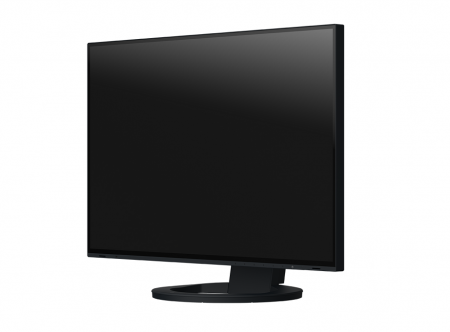
FlexScan EV3895 37.5″
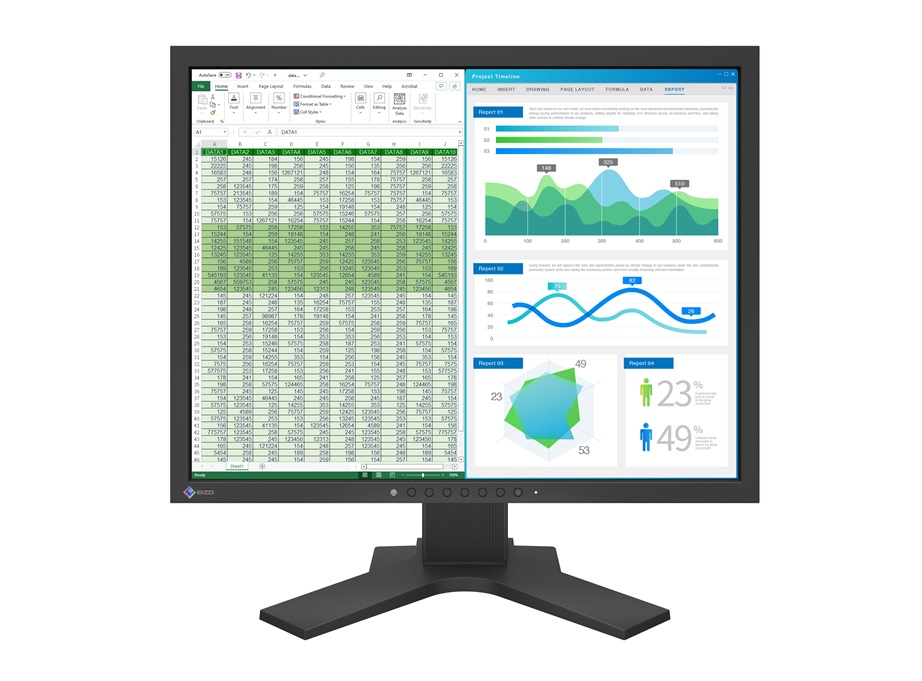
Τιμή: 1.339,00€ με Φ.Π.Α
Contoured to Your Workstyle.
Τιμή: 1.339,00€ με Φ.Π.Α
ΣύγκρινεEIZO’s First Ultrawide, Curved Monitor


More Space, Seamless Viewing
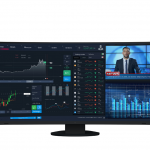
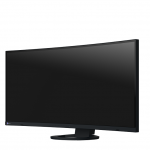
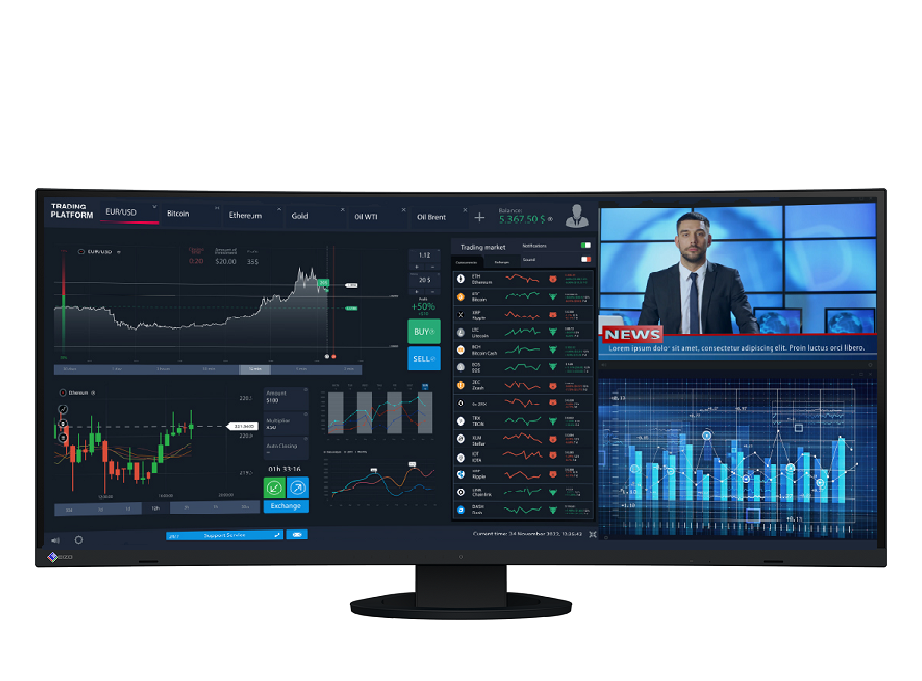
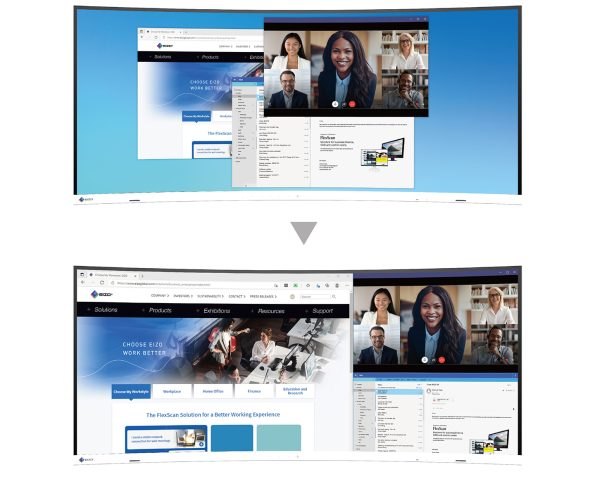
The 37.5-inch EV3895 is a UWQHD+ (3840 x 1600) curved ultrawide monitor with a 24:10 aspect ratio. The monitor has nearly triple the pixels to work with compared with Full HD monitors. Users can freely arrange multiple applications across its vast screen without the obtrusive bezels typical of multi-monitor setups.
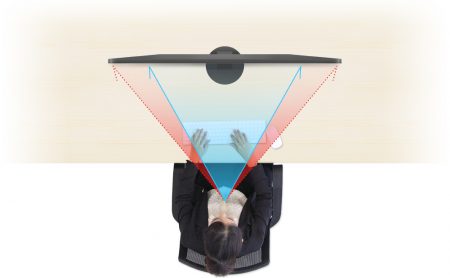
Before
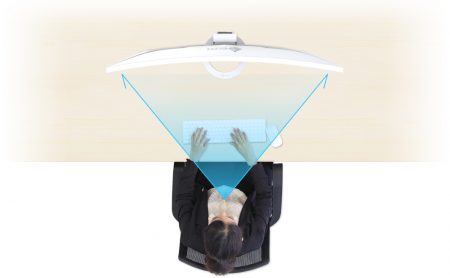
After
See Everything at Comfortable Distance
The closer a user sits to large monitor, the greater the distance between their eyes and the far edges of the screen. A curved monitor gently brings those edges in to a more comfortable distance, improving visibility, focus, and immersion.
Operate Multiple PCs Without Switching Sources

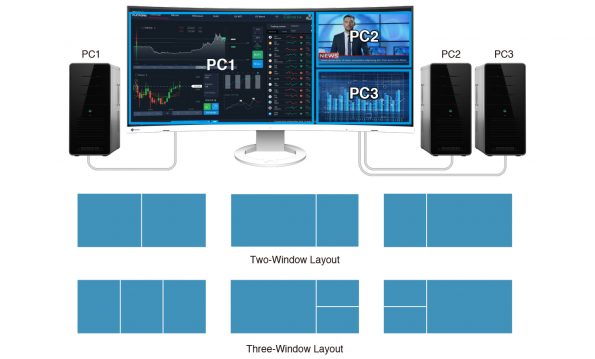
Convenient Multi-Input Connection
The Picture-by-Picture (PbyP) function allows the monitor to receive up to three video signals simultaneously. This saves the time and hassle of switching between video and audio sources when operating more than one computer. The monitor comes with six pre-defined Picture-by-Picture layouts.
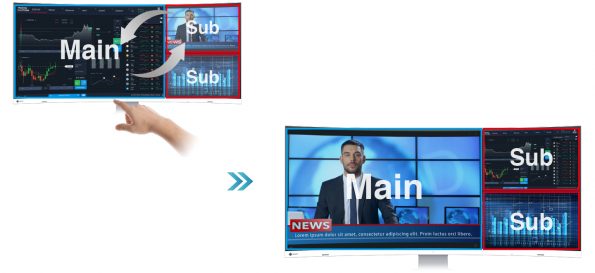
Swap Layouts at the Touch of a Button
When simultaneously displaying content from three video inputs via Picture-by-Picture (PbyP), the Main Window Swap function allows you to instantly change the layout of the windows. This provides a simple and fast way of shifting focus to any screen freely.
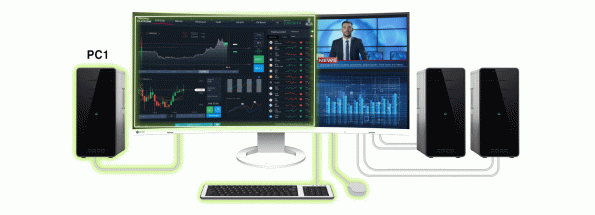
One Keyboard and Mouse Across Multiple PCs
The monitor is equipped with four easy-access USB Type-A ports on the side. When using Picture-by-Picture, the monitor’s USB Selection function allows you to use a single mouse and keyboard to operate each screen from multiple computers. This eliminates the need for additional peripherals for each computer and keeps your desk tidy.

Streamlined Connection with USB Type-C
The monitor is equipped with a USB Type-C connection that allows users to display video, playback audio, transmit USB signals, supply power to connected devices, and even access a network signal. This convenient multi-purpose connectivity makes it faster and easier to connect your laptop when moving between workstations or working away from the office.
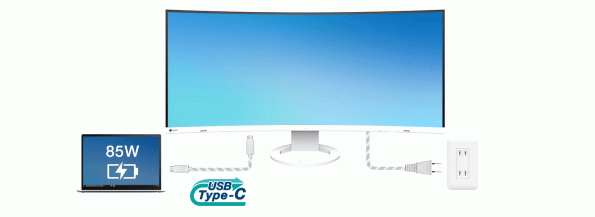
No Need to Carry a Bulky Power Supply
The monitor’s 85 watt power delivery via USB Type-C reliably charges laptops and small desktop PCs. This eliminates the need for a laptop’s bulky power supply unit, freeing up desk space.

Network Connection via USB Type-C
While many modern laptops are not equipped with a dedicated LAN port, the monitor has one directly built in for a wired connection. Connecting any laptop via USB Type-C allows access to the network through the monitor. This allows you to conduct conference calls or data transfers reliably and at high speed.
EIZO MAC Address Clone Utility software temporarily assigns the MAC address of a connected PC to the monitor, granting network access to authenticated devices, and preventing network access from unauthenticated devices.
Intelligent Software to Work Better

Organize Your Desktop to Increase Work Efficiency
EIZO’s free Screen InStyle software’s Screen Layout function allows you to divide the desktop and arrange each program’s window neatly across the screen to help you work smart and efficiently.
This function differs from Picture-by-Picture function.
Hotkey Assignment
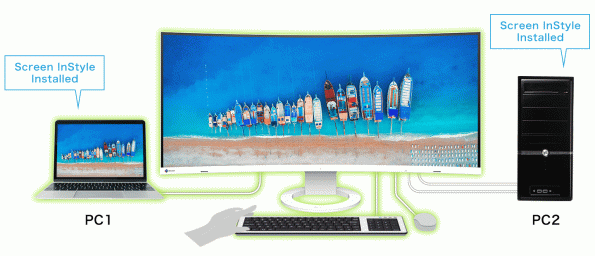
You can assign keyboard hotkeys to switch between input signals of two PCs connected to your monitor.
Aesthetically Pleasing Design
A monitor’s aesthetic can go a long way in creating a more comfortable atmosphere. The monitor’s minimalistic design and ergonomic functions, down to its stand concept, allow it to fit naturally in your work environment at the office or at home.
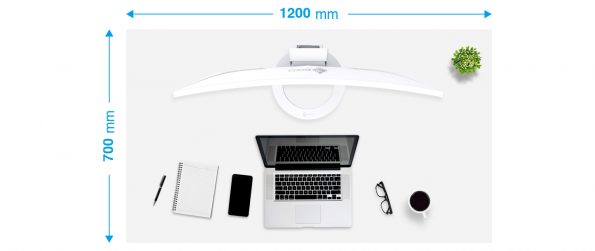
Slim and Frameless
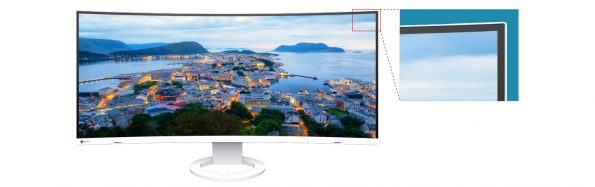
The 37.5-inch curved ultrawide monitor easily blends into even smaller work spaces. It can stand on small surfaces thanks to its slim and frameless design and its small steady stand. It can easily be placed on a small desk and leave enough room to work comfortably.
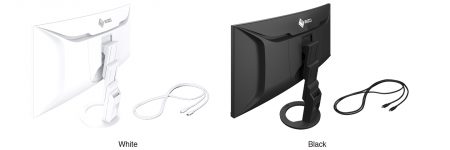
Color Coordination to Suit Your Workspace
In addition to sleek black, the cabinet is available in white for a color option that keeps your workspace feeling bright. Furthermore, EIZO provides matching cables for full color coordination.
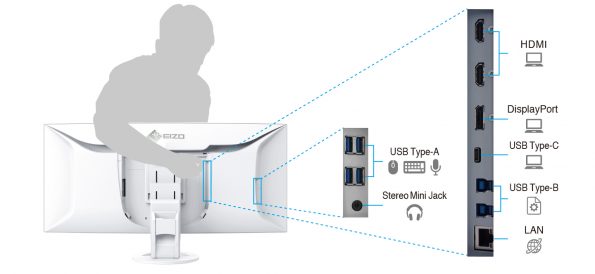
Connectivity and Flexibility
The monitor is equipped with a USB Type-C, DisplayPort, and two HDMI® ports for easily connecting to multiple devices. All ports on the back of the monitor are positioned to be within arm’s reach for easy access.
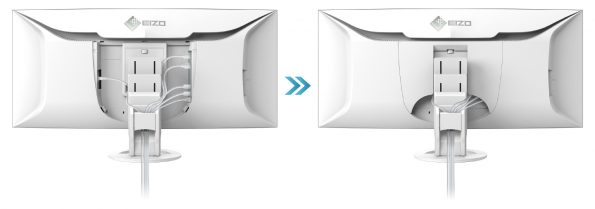
Cable Management Made Easy
Having plenty of connectivity options can easily become overwhelming when it comes to cable management. The monitor is equipped with a cable duct and a detachable backplate to simplify cable management for a clean workspace.
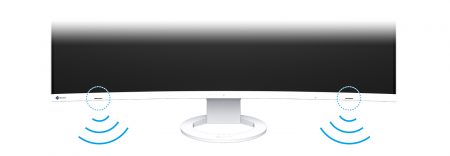
Front-Facing Speakers for Better Sound
The monitor has speakers incorporated into the minimalist front bezel, ensuring that sound is focused on the user. This also minimizes any disturbance to people in the surrounding environment.
Say Goodbye to Tired Eyes
The monitor is equipped with many functions to help users concentrate on work by keeping their eyes comfortable throughout the day.

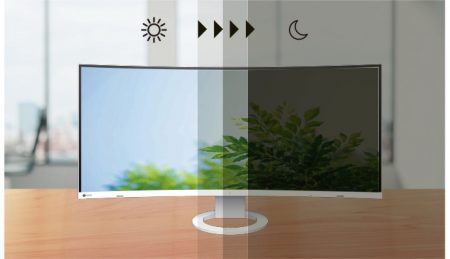
Auto Brightness Control
To prevent eye fatigue, a brightness sensor called Auto EcoView detects the changes in the ambient brightness that occurs throughout the day and automatically adjusts the screen to the ideal brightness level.
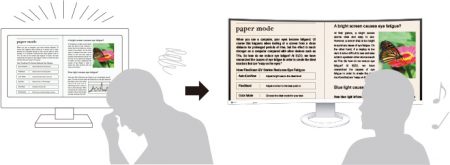
Blue Light Reduced by 80%
In the visible light spectrum, blue light has wavelengths adjacent to ultraviolet light. Compared to the factory preset setting of 6500K of typical LCD monitors, Paper Mode is closer to the spectral distribution with long reddish wavelengths so it reduces the amount of blue light, a cause of eye fatigue, and helps prevent eyestrain when reading documents. When used in conjunction with Auto EcoView dimming function, blue light can be reduced by as much as 80%.
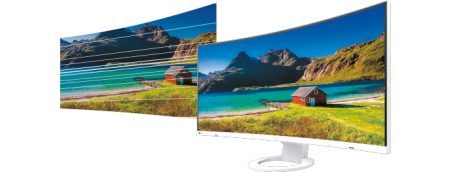
Flicker-Free Viewing
Due to the way brightness is controlled on LED backlights, a small number of people perceive flicker on their screen which causes eye fatigue. The monitor utilizes a hybrid solution to regulate brightness and make flicker unperceivable without any drawbacks like compromising color stability – even on low brightness settings.
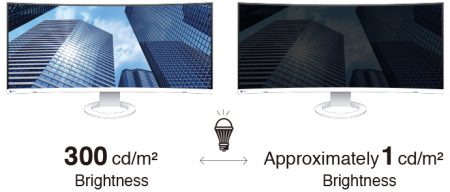
Minimum Brightness of 1 cd/m2
In a dimly-lit work environment, a monitor with low brightness settings is more comfortable to use. With its LED backlight, the monitor is adjustable to approximately 1 cd/m² which is less than 1% of the maximum.

Certified for Eye Care
FlexScan monitors are certified by TÜV Rheinland to have low blue light and be flicker-free.
Commitment to Quality
EIZO manufacturers its products at its own facilities to allow close control over production quality and ensure each monitor is built to last.


5-Year Warranty
FlexScan monitors are backed by a standard 5-year manufacturer’s warranty that covers all components, including the LCD panel*. This extensive warranty period is two years longer than the standard warranty of most conventional monitors. EIZO’s 5-year manufacturer’s warranty contributes to significantly lower product life cycle costs.
* Usage time is limited to 30,000 hours.

Zero Bright Pixels
EIZO guarantees its FlexScan monitors will be free from bright sub-pixels for six months from the date of purchase.
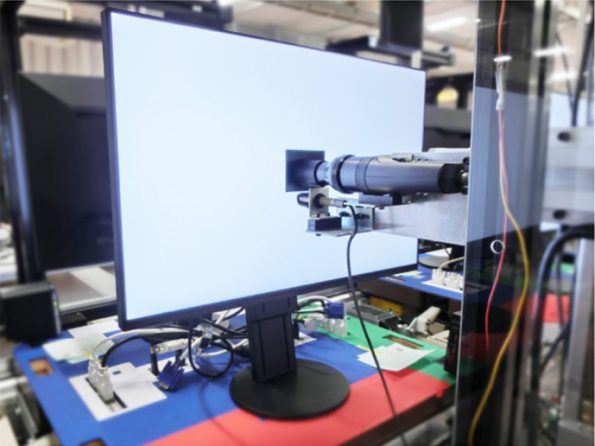

Exceptional Image Reproduction
The monitor converts the data from an 8-bit input signal and selects the optimal gradations for smooth image display. Furthermore, each monitor is individually measured and adjusted at the factory prior to shipping for exceptional image quality out of the box.
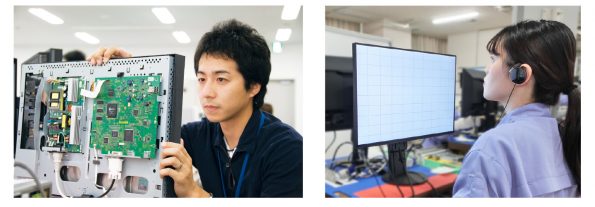
Integrated Approach
EIZO designs, manufactures and performs quality control on all FlexScan monitors in-house. EIZO believes that maintaining control over its processes is vital to continuously deliver and provide innovative and high quality products and services to its customers.

Care for the Environment and You
Achieving a sustainable society where we do no harm to the environment nor waste precious resources is an important initiative for businesses and communities. FlexScan Sustainable Monitors are at the forefront of EIZO’s efforts to contribute to this sustainable future.

Reduced Power Consumption
The monitor implements EIZO’s proprietary EcoView technologies which cut power consumption by as much as 40% compared to displaying at maximum brightness.
- Auto EcoView: Automatically adjusts the screen’s brightness according to changes in the ambient lighting.
- EcoView Optimizer 2: Fine-tunes the balance between brightness and gain according to the content displayed on the screen.



Rest Assured with Major Sustainability Standards
The monitor is certified by worldwide comprehensive sustainability standards including TCO Certified Generation 9 and EnergyStar. Furthermore, the monitor is registered at EPEAT Silver, indicating that it meets the most demanding set of criteria for sustainability, and has attained the new EPEAT Climate+ designation for compliance with climate change standards. Organizations concerned with ESG (environmental, social, and governance) investments or SDGs can assuredly procure the monitor to meet required guidelines.

Our Contribution to SDGs
As part of its sustainability initiatives, EIZO is contributing towards the United Nations’ Sustainable Development Goals (SDGs).




Environmentally Conscious Product Development
FlexScan embodies EIZO’s commitment to sustainability through the use of recycled materials and low-impact components. The monitors are optimized for energy efficiency, contributing to lower greenhouse gas (GHG) emissions.
EIZO also collects and recycles used products to further minimize environmental impact. We strive to promote efficient and circular resource use across every stage of the product lifecycle – from parts and materials procurement to manufacturing, transportation, user experience, and end-of-life disposal.
All production sites at EIZO’s headquarters in Japan operate on 100% renewable energy.
Workstyle Innovation and Productivity
FlexScan offers a versatile lineup and user-friendly features to support a wide range of workstyles. Each monitor can be adjusted to match individual preferences for screen position and display settings, while integrated eye care technologies help reduce eye fatigue during use. With reliable image quality and thoughtful design, FlexScan empowers business professionals to work more efficiently and comfortably.
| Color | |
|---|---|
| Ανάλυση Οθόνης | |
| Διαγώνιος Οθόνης | |
| Τύπος Panel | |
| Τερματικά εισόδου | DisplayPort, HDMI, USB Type-C |
| Χρόνος Απόκρισης |
Specifications
| Model Variations | EV3895-BK: with FlexStand, black
EV3895-WT: with FlexStand, white EV3895-FBK: without stand, black EV3895-FWT: without stand, white Note: FlexStand is removable |
|---|---|
| Panel | |
| Type | IPS |
| Backlight | LED |
| Size | 37.5″ / 95.3 cm |
| Native Resolution | 3840 x 1600 (24:10 aspect ratio) |
| Viewable Image Size (H x V) | 879.7 x 366.5 mm |
| Pixel Pitch | 0.229 x 0.229 mm |
| Pixel Density | 111 ppi |
| Display Colors | 16.77 million |
| Viewing Angles (H / V, typical) | 178° / 178° |
| Brightness (typical) | 300 cd/m2 |
| Contrast Ratio (typical) | 1000:1 |
| Response Time (typical) | 5 ms (gray-to-gray) |
| Color Gamut (typical) | sRGB: 100%, DCI-P3: 94% |
| Video Signals | |
| Input Terminals | USB Type-C (DisplayPort Alt Mode, HDCP 1.3), DisplayPort (HDCP 1.3), HDMI (HDCP 2.2 / 1.4) x 2 |
| Digital Scanning Frequency (H / V) | USB Type-C: 31 – 99 kHz / 29 – 31 Hz, 59 – 61 Hz
DisplayPort: 31 – 99 kHz / 29 – 31 Hz, 59 – 61 Hz HDMI: 31 – 99 kHz / 29 – 31 Hz, 49 – 51 Hz, 59 – 61 Hz |
| USB | |
| Upstream | USB 3.1 Gen 1: Type-B x 2,
USB 3.1 Gen 1: Type-C (DisplayPort Alt Mode, Power Delivery Source 85 W max.) |
| Downstream | USB 3.1 Gen 1: Type-A x 4 |
| USB LAN Adapter | RJ-45 (1000BASE-T)
Windows 10 / 8.1 (64-bit, 32-bit), macOS Sierra (10.12) or later |
| Audio | |
| Speakers | 1.0 W + 1.0 W |
| Input Terminals | USB Type-C, DisplayPort, HDMI x 2 |
| Output Terminals | Headphones (Stereo mini jack) |
| Power | |
| Power Requirements | AC 100 – 240 V, 50 / 60 Hz |
| Typical Power Consumption | 28 W |
| Maximum Power Consumption | 194 W |
| Power Save Mode | 0.5 W or less |
| Features & Functions | |
| Preset Modes | User1, User2, sRGB, Paper, Movie, DICOM |
| Auto EcoView | Yes |
| OSD Languages | English, German, French, Italian, Japanese, Simplified Chinese, Spanish, Swedish, Traditional Chinese |
| Physical Specifications | |
| Dimensions (Landscape, W x H x D) | 893.9 x 411 – 603.7 x 240 mm |
| Dimensions (Without Stand, W x H x D) | 893.9 x 398.2 x 109.8 mm |
| Net Weight | 13.2 kg |
| Net Weight (Without Stand) | 9.5 kg |
| Height Adjustment Range | 192.7 mm |
| Tilt | 35° Up, 5° Down |
| Swivel | 70° |
| Pivot | – |
| Hole Spacing (VESA Standard) | 100 x 100 mm |
| Environmental Requirements | |
| Operating Temperature | 5 – 35 °C |
| Operating Humidity (R.H., non condensing) | 20 – 80 % |
| Certifications & Standards (Please contact EIZO for the latest information.) | TCO Certified Generation 8, EPEAT 2018 (US), TUV/Ergonomics, TUV/Low blue light content, TUV/Flicker Free, TUV/GS, RCM, CE, CB, cTUVus, FCC-B, CAN ICES-3 (B), TUV/S, PSE, VCCI-B, EPA Energy Star, RoHS, WEEE, China RoHS, CCC, China Energy Label Grade2, EAC |
| Dedicated Software | |
| Monitor Control Utility Screen InStyle | Supported |
| Supplied Accessories (May vary by country. Please contact EIZO for details.) | |
| Signal Cables | USB Type-C (2 m), DisplayPort (2 m), HDMI (2 m) |
| Others | AC power cord (2 m), USB Type-A – USB Type-B cable (2 m) x 2, connector cover, VESA mounting screw x 4, setup guide |
| Warranty | Five Years
Zero bright sub-pixels for six months from date of purchase. |
| Dimension Drawing |
Videos
Case Studies


Premium 4K for Business – Down to the Last Detail
AVAILABILITY: In stock
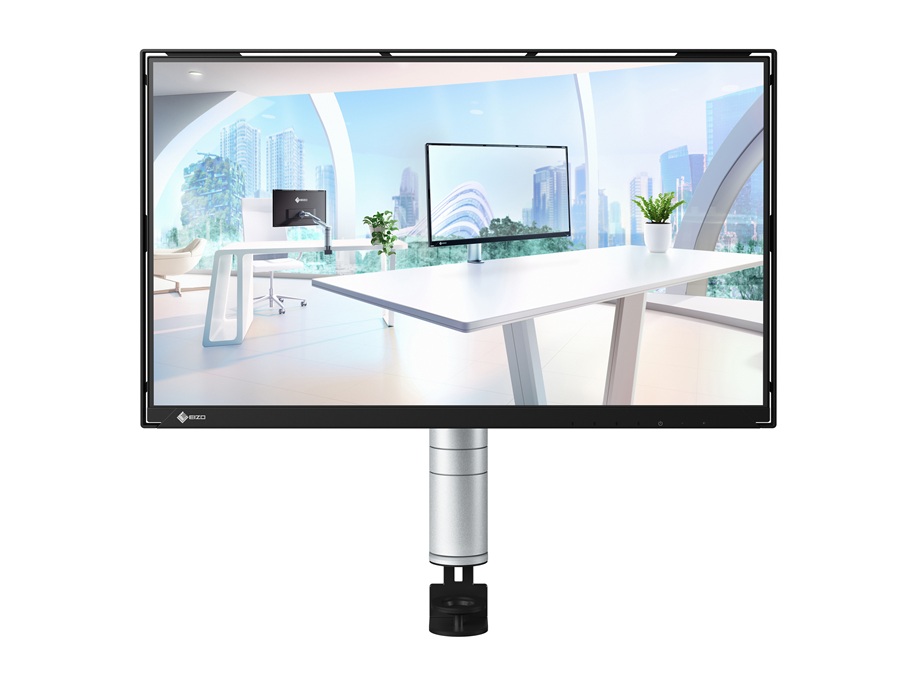
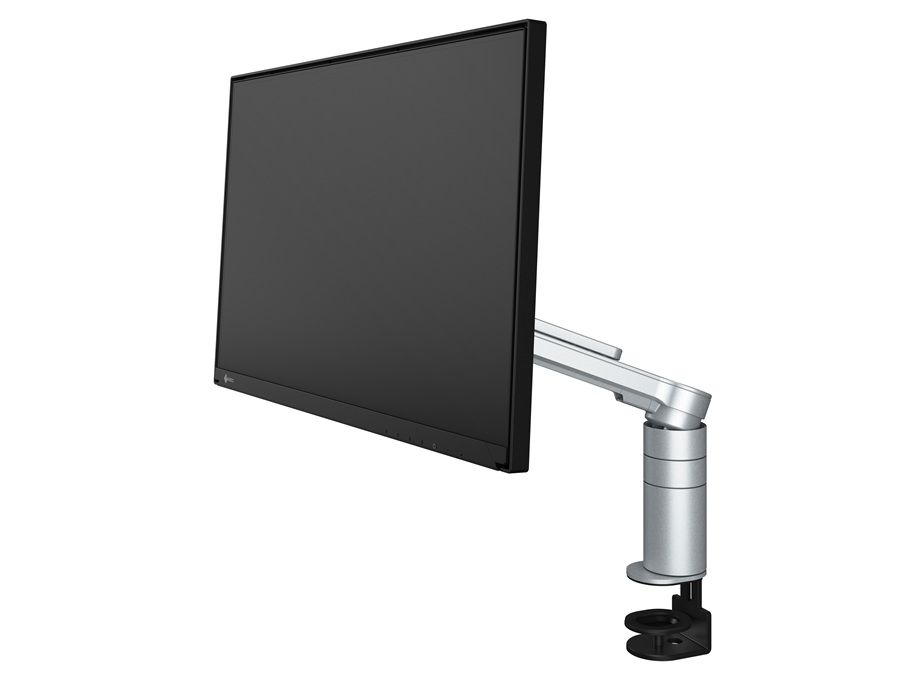
Eco-conscious design, low energy consumption, and sleek ergonomics — all in one monitor.
The new EIZO 23.8-inch Full HD eco-conscious monitor combines top-tier energy efficiency with sustainable design and modern aesthetics. With power consumption of just 6W, construction from 95% recycled materials, and USB Type-C connectivity for a clean, cable-free workspace, it is the ideal solution for businesses and individuals looking to reduce their environmental footprint without compromising on performance or style.
AVAILABILITY: In stock
Get Connected. Get Started.
The 23.8-inch EV2490 is a Full HD (1920 x 1080 pixels) USB Type-C docking monitor with LAN and daisy chain capability for increased productivity at the office or at home.
AVAILABILITY: In stock
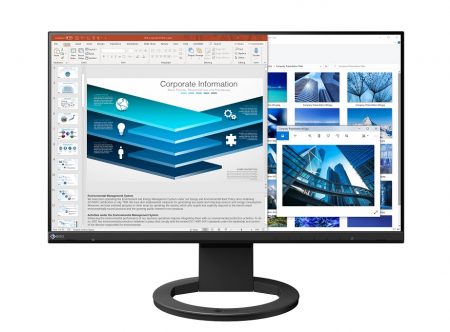
The New Standard for a Better Working Experience
The 23.8-Inch EV2480 is a frameless Full HD (1920 x 1080 pixel) monitor equipped with USB Type-C for improving productivity and comfort at the office or at home.
AVAILABILITY: In stock
Stand bracket for thin client or mini-PC
AVAILABILITY: In stock
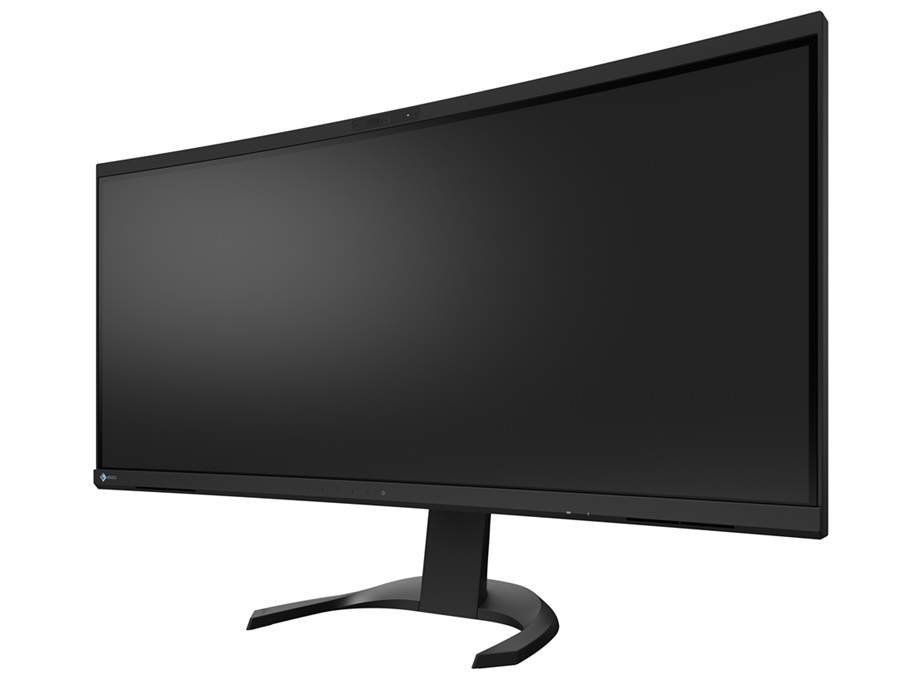
Connect. Communicate. Collaborate.
AVAILABILITY: In stock
EIZO’s Timeless 19-inch Monitor
The FlexScan S1934 features an IPS panel and is designed for both office use and control rooms, where ergonomics and minimalism truly matter.
AVAILABILITY: In stock
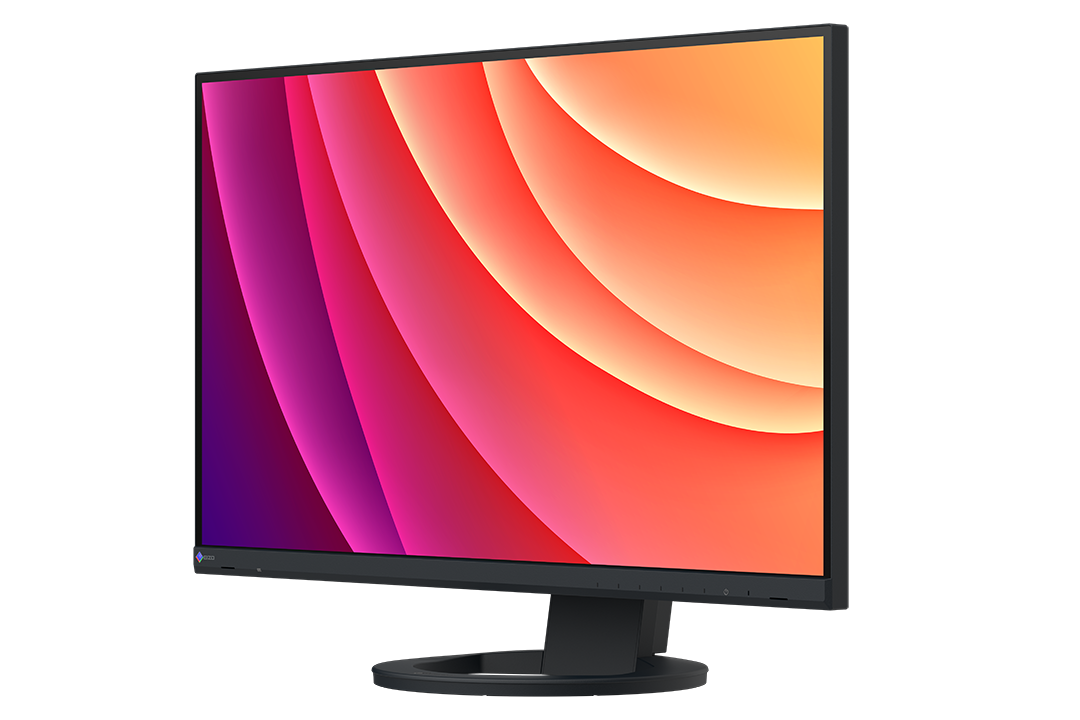
Exceptional Clarity. Smooth Operation.
The 27-inch EV2740S is designed to meet the diverse needs of modern workstyles with 4K UHD (3840 x 2160) resolution for exceptional clarity and USB Type-C connectivity for streamlined operation, supporting productivity and setting a new standard for business excellence.
AVAILABILITY: In stock
Get Connected. Get Started.
AVAILABILITY: In stock
Minimal desk space, maximum workspace – EIZO’s Smallest Frameless Model
Frees up your workspace while taking up minimal space. A sleek and user-friendly monitor for the office, home, and beyond!
AVAILABILITY: In stock
Reliably Versatile. Elegantly Designed.
The 24.1-inch EV2410R is a WUXGA (1920 x 1200 pixel) monitor that supports long-term supply to offices and combines high versatility with elegance.
AVAILABILITY: In stock
The New Standard for a Better Working Experience
AVAILABILITY: In stock